


What is a no-code AI agent platform?
An AI agent automation platform for non-technical teams is software that lets business users build, deploy, and manage AI agents without coding. The best options provide a visual builder, enterprise integrations, governance, and measurable ROI so operations, marketing, support, and HR can automate complete workflows in weeks.
Business leaders don’t want another tool they can’t implement. They want a platform that lets their teams ship real AI agents—without waiting on engineering. With adoption rising fast, McKinsey’s 2024 State of AI survey found 65% of organizations regularly use generative AI, yet many still struggle to move beyond pilots. This guide shows how to choose an AI agent automation platform non-technical users can run, what results to expect, and a practical rollout plan that avoids common pitfalls.
We’ll cover essential capabilities like no-code agent creation, multi-agent orchestration, guardrails and compliance, and native integrations with your systems. You’ll see evaluation criteria, time-to-value benchmarks, and a 30-60-90 day plan any business function can follow. Finally, we’ll explain how EverWorker enables business-user-led deployment—so you automate end-to-end processes, not just isolated tasks.
Why Non-Technical Teams Struggle With AI Agents
Non-technical teams struggle to move from AI ideas to working agents because of complexity, integration hurdles, and governance gaps. Most platforms assume developer skills, leaving business users dependent on IT backlogs that slow momentum.
In many organizations, operations, CX, or marketing own the process knowledge, but they lack the tools to translate it into agent logic. Visual builders exist, yet they often require configuring APIs, managing data pipelines, or understanding prompt engineering—skills outside most business teams. The result is stalled initiatives or brittle automations that break when real-world exceptions appear.
Security and compliance add friction. Buyers need role-based access, audit trails, and data residency controls. Without them, IT stops pilots from reaching production. Finally, integration gaps derail value. If the platform can’t read and write data to your CRM, service desk, HRIS, or ERP, agents become fancy demos instead of durable workflow automation.
Where no-code AI platforms fall short
Generic no-code tools usually automate steps, not processes. They lack multi-agent orchestration, contextual memory, and enterprise-grade connectors. That means business users still need engineering help to stitch systems together, harden workflows, and handle edge cases—precisely what slows programs down.
What “agentic” means for business users
Agentic AI refers to AI workers that can plan, decide, and act within defined boundaries. For non-technical teams, that means agents that read knowledge, access systems, take actions, and escalate to humans when needed—without hand-coding. True agentic platforms make this capability accessible through natural language and visual design.
What to Look For in a No‑Code AI Agent Platform
The right platform enables non-technical teams to create reliable agents safely. Prioritize natural-language creation, robust governance, enterprise integrations, testing, and continuous improvement so agents get better over time.
Focus on capabilities that remove technical bottlenecks: visual Canvas-style builders, built-in retrieval-augmented generation (RAG) and vector memory, and a universal connector that turns API specs into ready-to-use actions. Ensure the platform supports multi-agent orchestration and human-in-the-loop review. Governance matters too: role-based permissions, audit logs, rate limits, and scoped credentials keep risk in check while enabling speed.
Essential features for business users
Look for plain-English agent creation, reusable blueprints, drag-and-drop workflows, and prompt libraries. Built-in evaluation harnesses, sandbox modes, and accuracy dashboards let teams validate agents before going live. Native channels (email, Slack, chat, voice) help agents work where your people and customers already are.
Security and governance requirements
Non-technical doesn’t mean non-compliant. You’ll need role-based access control, SSO, secrets management, PII redaction, and complete audit trails. Reference frameworks like SOC 2 and ISO 27001, and confirm data residency options when needed. Gartner expects hyperautomation enablement software to reach $1.07T by 2028; choose platforms built for that scale (Gartner forecast analysis).
Integrations and data connectivity
Agents must read and write to the systems that run your business—CRM, MAP, ITSM, HRIS, data warehouses, and proprietary apps. Prefer platforms with a universal connector that ingests OpenAPI specs and auto-generates actions, plus support for REST and GraphQL. This eliminates hand-built integrations that otherwise stall adoption.
The Outcomes You Should Expect in 30–60 Days
Expect measurable impact quickly: faster cycle times, lower costs, higher quality, and happier customers. Start with 1–3 high-ROI workflows per function and expand once repeatable wins are proven.
High-performing teams see quick wins such as sub-minute first responses in support, same-day campaign execution in marketing, and automated candidate screening in talent acquisition. In parallel, managers get better reporting: every agent action is logged, and accuracy gains compound as agents learn from human corrections.
Time-to-value benchmarks
With a business-user-first platform, pilots stand up in days and reach production in 30–45 days. By day 60, it’s common to automate 40–60% of repetitive steps in scoped processes while maintaining human review for exceptions.
Cost and productivity ROI
Expect 30–60% time savings on targeted workflows as agents handle busywork and prework. That frees your team to focus on higher-value tasks—strategy, creativity, and relationship-building—rather than low-complexity execution.
Quality and customer experience gains
Agents increase consistency, reduce errors, and improve coverage across time zones. Faster responses and better context drive higher CSAT and NPS. As knowledge updates propagate instantly, customers and employees get current, accurate answers across channels.
How to Implement With Zero Engineering Bottlenecks
You can deploy safely without consuming scarce developer capacity by sequencing a lean rollout: assess, pilot, productionize, then scale. Treat it like a change-management program as much as a technical project.
- Scope one workflow: Pick a high-volume, rules-based process with clear success criteria (e.g., password resets, lead enrichment, invoice validation).
- Shadow mode: Run the agent in suggestion mode for 1–2 weeks. Humans approve or edit responses to establish baseline accuracy.
- Progressive autonomy: Turn on autonomous execution for Tier 1 scenarios; keep human-in-the-loop for edge cases.
- Measure and iterate: Track accuracy, cycle time, escalation quality, and business KPIs. Fold human feedback into continuous learning.
- Scale to adjacent workflows: Replicate what works to nearby processes and additional teams.
Pilot plan non-technical teams can run
Give a functional lead ownership, with IT in a governance role. Provide a 1-page spec, a knowledge pack, and access to required systems. Meet twice weekly for 30 minutes to review metrics and exceptions. This keeps momentum without creating overhead.
Do non-technical teams need coding to build AI agents?
No—if you choose the right platform. Business-user-led creation should rely on natural language and visual design. Integrations should be declarative: connect, authorize, and select actions, not write code.
How EverWorker Delivers These Results for Business Users
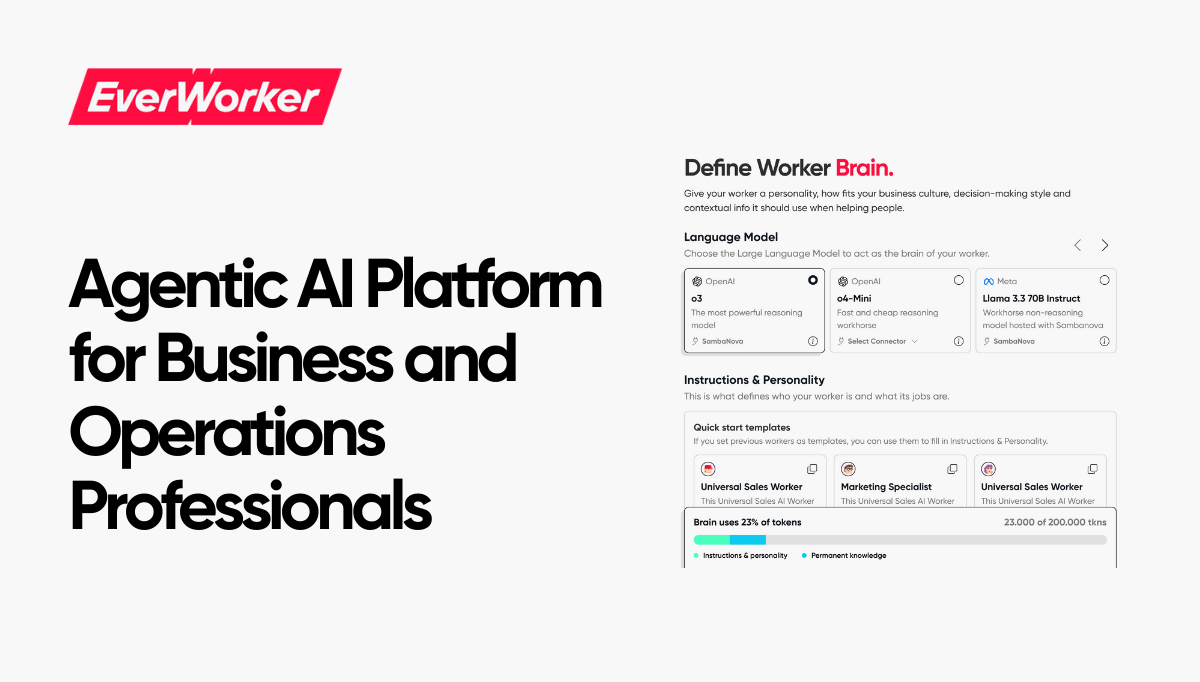
EverWorker provides AI workers—autonomous, multi-agent systems that execute end-to-end business processes. Business users describe the work; EverWorker Creator translates intent into tested, production-ready agents that operate in your systems without code.
Here’s what matters for non-technical teams: a visual Canvas to design workflows, built-in RAG and vector memory for organizational knowledge, and a Universal Connector that ingests OpenAPI specs to auto-generate actions across REST and GraphQL. You don’t author API calls—EverWorker abstracts that complexity so teams can focus on outcomes.
Deploy from blueprint workers in hours—like customer support triage, SDR research and outreach, or product setup and configuration—and reach full production in weeks. Because EverWorker logs every action with role-based permissions and audit trails, IT gains confidence while business teams gain speed. Many organizations start in support or marketing, then expand. Explore our AI Workers for Marketing and Talent Acquisition for role-specific examples.
As agents run, they learn from human corrections and performance data. Accuracy and throughput improve continuously without retraining projects. This is how non-technical teams achieve durable automation of entire processes—not just steps—while IT retains governance.
Rethinking Automation: From Tasks to AI Workers
The old model automated tasks and left humans to manage the seams. The new model automates outcomes: AI workers coordinate multi-step processes, collaborate across systems, and escalate intelligently. That shift—from tools to workers—explains why business-user-led AI is scaling faster than traditional automation.
Traditional RPA and point solutions require months of integration and brittle maintenance. In contrast, agentic AI workers start from natural language, leverage your knowledge base, and connect to operational systems through universal connectors. They don’t replace your stack—they make it far more effective. This aligns with a broader trend: business units leading deployment while IT sets guardrails and approves connections.
The implication is profound. Success no longer hinges on hiring scarce AI engineers. It hinges on activating the people who already know the work—ops leaders, support managers, marketers—and giving them an agent platform designed for them. That’s how you turn AI from sporadic pilots into a compounding capability across the organization.
Start Fast: 30–60–90 Day Plan
Here’s a practical plan to move from exploration to value while building confidence and governance.
- Immediate (Week 1): Run a 90-minute workshop to map 10 candidate workflows by volume and impact. Select 2 pilots with clear success metrics.
- Short term (Weeks 2–4): Configure knowledge, connect systems, and run agents in shadow mode. Calibrate prompts and guardrails. Target 85–90% suggestion accuracy.
- Mid-term (Days 30–60): Enable autonomous execution for Tier 1 cases. Expand to a second workflow per function. Publish dashboards with time/cost savings.
- Strategic (Days 60–90): Establish an AI operations cadence: monthly reviews, change control, and a backlog of new workflows. Create an internal champions program.
- Transformational: Roll out universal workers that orchestrate multiple specialized agents across functions to automate end-to-end processes.
The question isn’t whether AI can transform your operations, but which use cases deliver ROI fastest and how to deploy them without typical delays. That’s where strategic guidance turns pilots into production.
The next step is simple: align on your highest-ROI opportunities and launch with confidence.
The question isn't whether AI can transform your operations, but which use cases deliver ROI fastest and how to deploy them without the typical implementation delays. That's where strategic guidance makes the difference between pilots that stall and AI workers that ship value in weeks.
In a 45-minute AI strategy call with our Head of AI, we'll analyze your specific business processes and uncover your top 5 highest ROI AI use cases. We'll identify which blueprint AI workers you can rapidly customize and deploy to see results in days, not months—eliminating the typical 6-12 month implementation cycles that kill momentum.
You'll leave the call with a prioritized roadmap of where AI delivers immediate impact for your organization, which processes to automate first, and exactly how EverWorker's AI workforce approach accelerates time-to-value. No generic demos—just strategic insights tailored to your operations.
Schedule Your AI Strategy Call
Uncover your highest-value AI opportunities in 45 minutes.
What Comes Next
AI agents are ready for business-user leadership—if you choose a platform built for them. Prioritize no-code creation, enterprise integrations, and strong governance. Start with a narrow pilot, prove results in 30–60 days, then scale. With EverWorker, your AI workforce is a conversation away—and your teams finally do more with more.




 Anton Antich
 Austin Braham
 Christopher Good